BlockUp Controls & Input Guide
Set up for realistic bike physics — smoother throttle, cleaner stunts, fewer crashes.
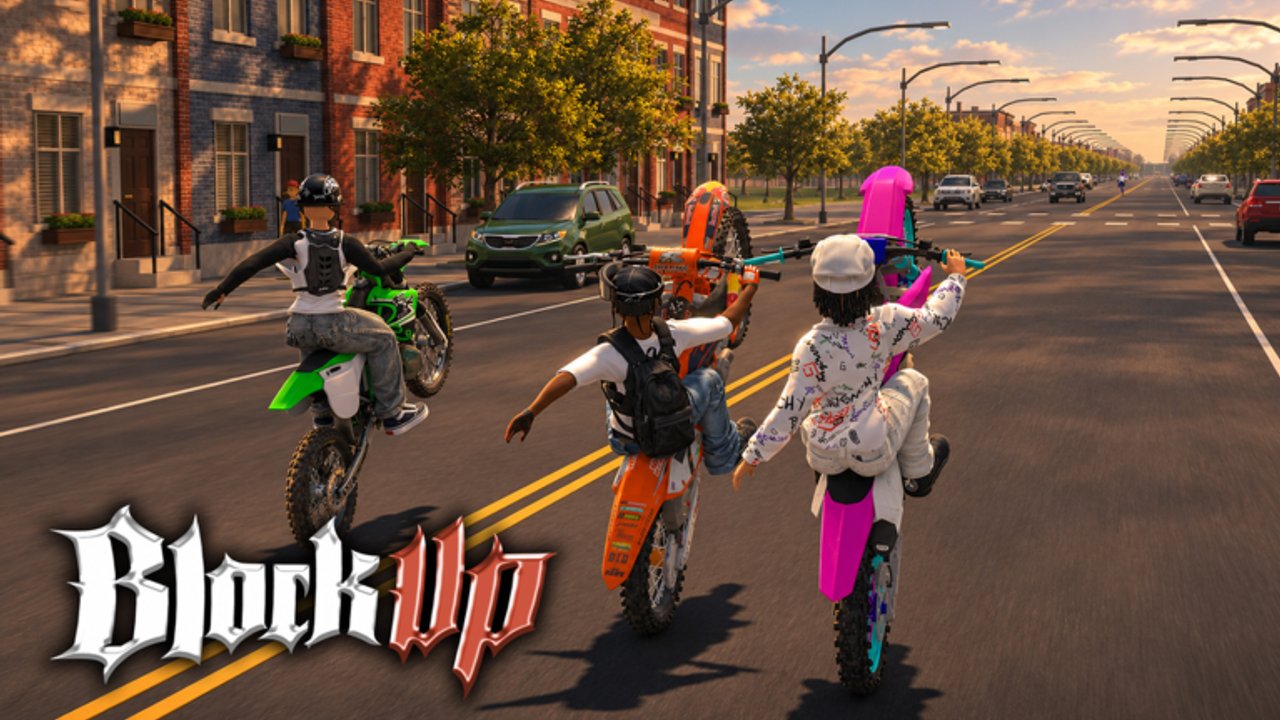
BlockUp is a Roblox Bike Life vehicle sim by La Bandite where input quality decides whether you look smooth or spend sessions recovering from curb kisses. Version 1.0 features realistic bike physics across a full city — streets, alleys, gas stations, garages, dealership — and the developers’ design clearly favors a controller. This page explains how to approach controls, how to practice, and how inputs connect to wheelies, money jobs, and social riding. Exact on-screen glyphs can shift with patches; re-check in-game prompts and Updates after big changes. For stunt application, continue to How to Wheelie. For first-hour context, see Getting Started.
Why controller first?
Analog throttle and lean let you feather power at the balance point of a wheelie, meter brake pressure into a stoppie, and roll out of a drift without binary keyboard jolts. Burnouts and photo-mode approaches also feel less twitchy. Keyboard and touch remain usable for cruising and learning the map, but duel-ready consistency is rarer. If you own a pad, use it for BlockUp. If you do not, still learn the city — just budget more practice time before 1v1 wheelie duels.
Core control ideas (device-agnostic)
Think in verbs, not only buttons:
- Throttle — adds drive; lifts the front when combined with wheelie timing.
- Brake — sheds speed; feeds stoppie pressure when timed with weight shift.
- Steer / lean — changes line and helps mid-stunt corrections.
- Camera — keeps horizon readable; wild cams cause false corrections.
- Interact — services at gas stations, workshops, jobs, poses, passengers.
- Secondary actions — photo mode, pose tools, emotes/streetwear moments depending on context.
Roblox may show platform-specific prompts. Bind comfort matters more than copying a streamer’s layout. Lower your camera panic: if the horizon flips every alley, reduce sensitivity before blaming the bike.
Recommended practice order
- Roll and stop on open road. No stunts. Feel stopping distance.
- Gentle S-curves. Link lean without chopping throttle to zero each time.
- Throttle feathering. Pulse between partial power levels (pad advantage).
- Short wheelie attempts. Apply How to Wheelie drills.
- Stoppie introductions. Brake-focused; separate from wheelie days if needed.
- Drift entries in empty lots. Only after you can abort safely.
- Burnout control. Style when space and social context allow.
- Job inputs under pressure. Deliveries and races demand the same smoothness with consequences — see How to Earn Money.
City contexts that change how you ride
Avenues. Best classroom for wheelies and camera discipline.
Alleys. Tight corrections; slow your inputs; avoid duel practice here early.
Gas stations. Approach straight, park clear of pumps, finish fuel / oil / wash without blocking others.
Garages and workshops. Precision parking helps when you bounce between customization and mechanic jobs.
Dealership areas. Pedestrian and rider traffic — no burnout spam.
Basketball courts and pose spots. Social zones; ride in slow, dismount clean, respect photo mode lines.
Group rides and passengers. Smooth throttle protects trust. Announce hard brakes. Passengers turn every input into a shared experience.
Controller setup tips
- Charge the pad; input drop mid-wheelie is a classic fail.
- Keep deadzones honest — too high feels mushy; too low feels noisy.
- Use a comfortable grip for long sessions; mechanic jobs and deliveries add up.
- Disable conflicting system shortcuts that steal focus.
- If playing on a big screen, sit where steering micro-moves stay precise.
Keyboard and touch survival tips
Keyboard: Prefer tap-feather patterns over slam toggles. Remap if default reach strains your hand. Accept that some duel players on pads will out-hold you until you adapt.
Touch: Larger on-screen controls help. Consider a clip-on grip. Prioritize safe cruising and jobs; treat advanced stunts as optional until comfortable.
Regardless of device, pause when frustrated. Fifteen-player servers remember chaotic riders.
Linking controls to money and progression
Bad inputs cost money: crashed deliveries, DNF races, botched repair timing if you rush into a bay sideways. Good inputs save money: fewer repairs, faster routes, cleaner finishes. Maintenance still matters — controls cannot invent fuel — so keep the care loop from How to Earn Money and Customize Your Bike. Workshop time is wasted if you cannot ride the result.
Social input etiquette
- Do not rev-bomb AFK players at pumps.
- Leave clear exit lanes at garages.
- During 1v1s, wait for ready checks before launching.
- In photo mode sessions, hold still when asked; sudden throttle ruins shots.
- Streetwear flex walks are fine — bikes weaving through basketball games are not.
Troubleshooting feel issues
Bike feels twitchy. Lower camera sensitivity; slow down; check if you are oversteering on keyboard.
Cannot hold wheelies. Practice shorter holds; confirm you are feathering throttle; read the wheelie guide.
Stops feel late. Brake earlier on avenues; practice stoppies separately.
Laggy inputs. Check network; avoid overlay-heavy setups; rejoin if the server feels unstable.
Controls changed after a patch. Visit Updates and re-run the practice order for ten minutes.
Accessibility and comfort
Take breaks during long mechanic or delivery grinds. Adjust brightness so alley shadows do not hide curbs. If analog sticks hurt, shorten stunt blocks and favor job types with less continuous steering load. Bike Life should feel good in the hands, not like a chore timer.
What this page will not invent
We will not invent fake keybind tables that might mismatch your client, fictional sensitivity numbers, or YouTube IDs. Learn prompts in-game, then use this guide for habits. When La Bandite ships control notes in patch text, fold them into your routine via Updates.
Next steps after controls feel natural
- Run the Getting Started landmark checklist at higher speed.
- Drill How to Wheelie with your refined throttle.
- Stack paid routes in How to Earn Money.
- Try repair focus in Mechanic Jobs.
- Style the machine in Customize Your Bike.
- Browse Tier List, Players, Codes, Scripts, and Wiki links as needed.
- Return to the Guides Hub for the full index.
Clean controls are the invisible upgrade. They make every other BlockUp system — physics, jobs, duels, photo mode — land the way Bike Life is supposed to feel on Roblox.
Frequently Asked Questions
Quick answers to common BlockUp questions.
Is a controller required to play BlockUp?
No, but it is strongly recommended for realistic bike physics, wheelies, stoppies, and precise drifts.
Where is the full keybind list?
Use the in-game prompts for your platform. This guide focuses on habits and practice order because glyphs can vary by device and patch.
Can I get good at wheelies on keyboard?
Yes with practice, but analog throttle on a controller makes balance holds much easier. Expect a longer learning curve on keys.
Why does my camera ruin stunts?
High sensitivity or constant camera fighting causes false steering corrections. Lower sensitivity and keep the horizon readable.
Do controls affect money making?
Indirectly yes. Smoother riding means fewer crashes on deliveries and races, which protects payouts and repair costs.